> ## Documentation Index
> Fetch the complete documentation index at: https://datum.net/docs/llms.txt
> Use this file to discover all available pages before exploring further.
# Domains
> Track your domains in one place regardless of where they are registered to gain programmatic access to foundational infrastructure components.
**Working with this resource via an AI agent?** Datum publishes a [Domains skill](/agents/skills/domains) that teaches agents the canonical patterns for this resource.
At Datum, domains are just another type of resource.
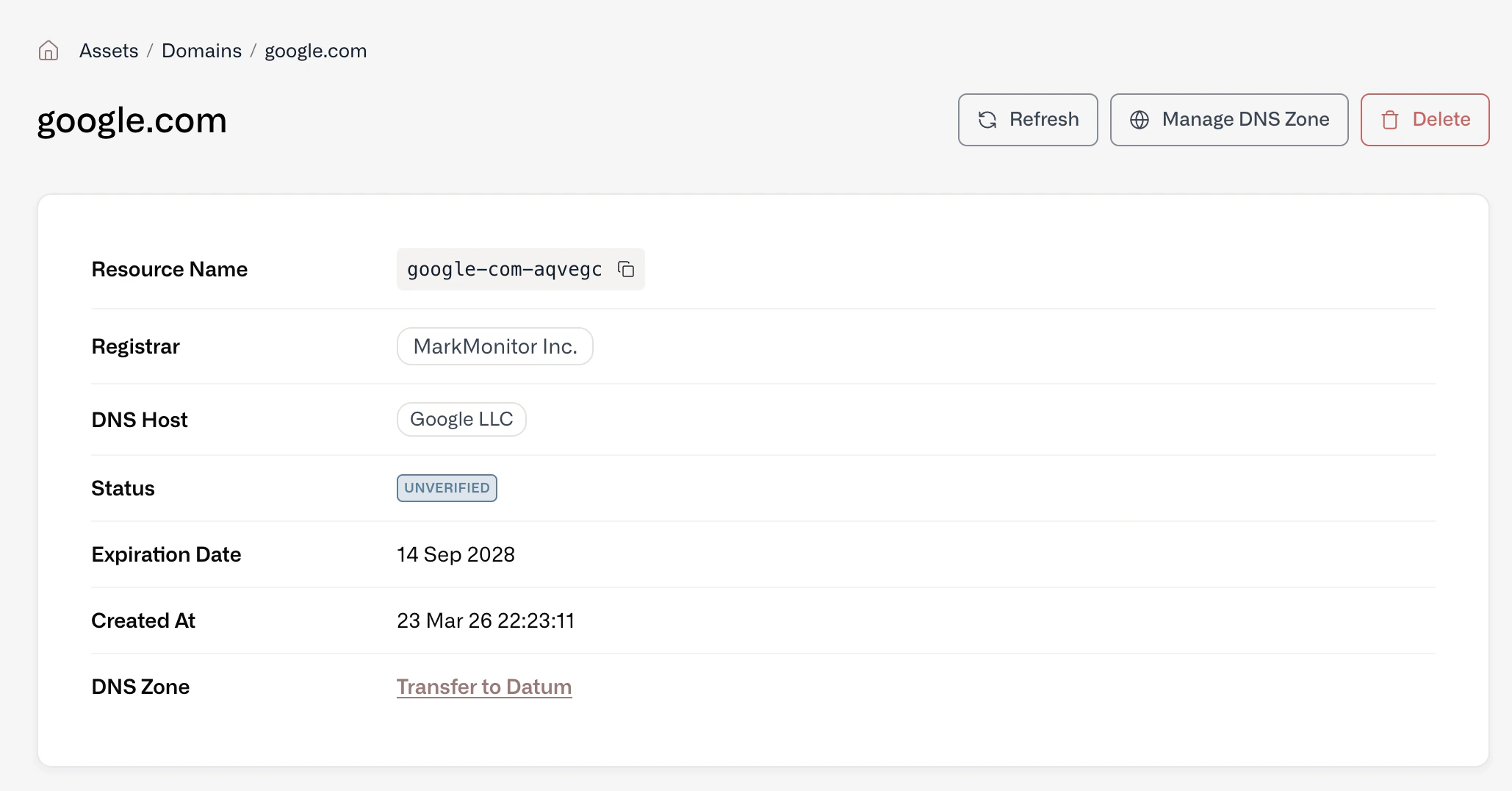
By tracking your domains in one place (regardless of where they are registered or where DNS is hosted), you and your colleagues gain programmatic access to a foundational component of your infrastructure. No more spreadsheets!
 ## Add a domain
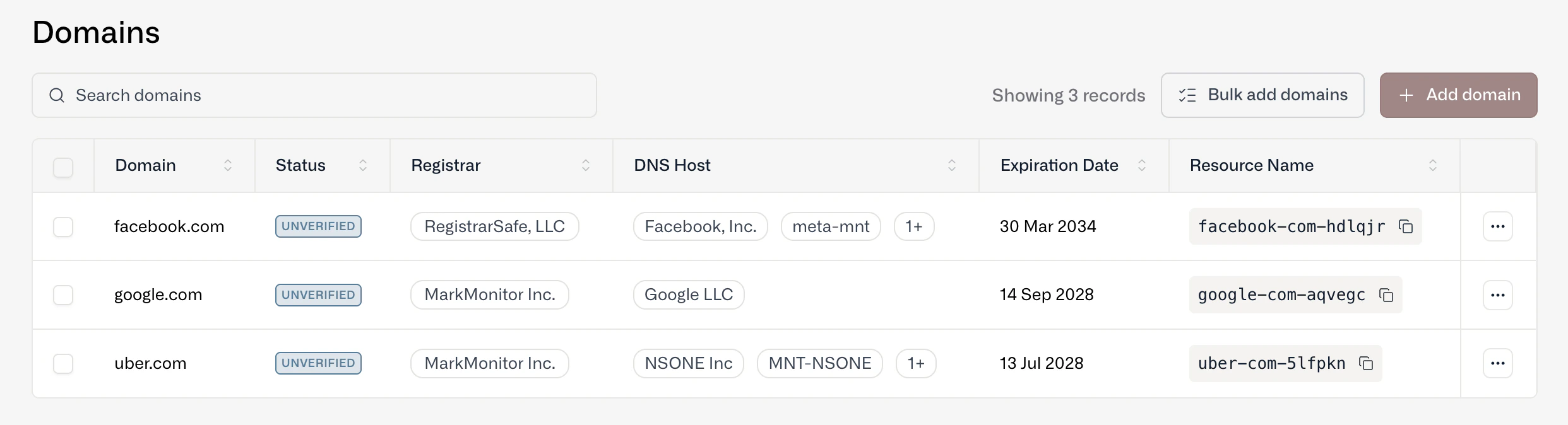
You can add and manage domains through the Datum Cloud portal as well as our programmatic interfaces (MCP and datumctl).
* Add a single domain - Type in the domain name and a resource is created.
* Bulk upload domains - Copy and paste multiple domains or import via a .csv or .txt file.
* AI Edge - Adding a custom hostname to an AI Edge will create a domain resource.
## Add a domain
You can add and manage domains through the Datum Cloud portal as well as our programmatic interfaces (MCP and datumctl).
* Add a single domain - Type in the domain name and a resource is created.
* Bulk upload domains - Copy and paste multiple domains or import via a .csv or .txt file.
* AI Edge - Adding a custom hostname to an AI Edge will create a domain resource.
 ## Verify a domain
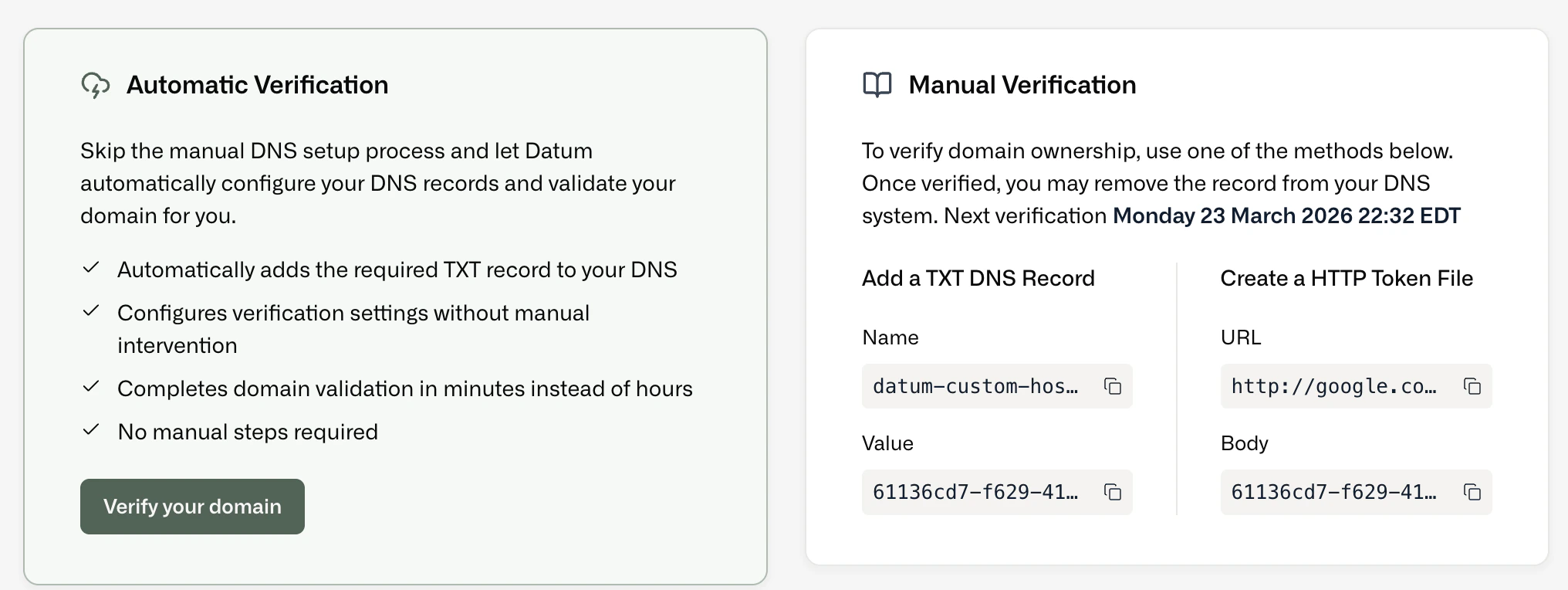
Once you add a domain as a resource, you can verify ownership. Verified domains become available for use in other Datum services such as Proxy and DNS Zone Hosting.
## Verify a domain
Once you add a domain as a resource, you can verify ownership. Verified domains become available for use in other Datum services such as Proxy and DNS Zone Hosting.