> ## Documentation Index
> Fetch the complete documentation index at: https://datum.net/docs/llms.txt
> Use this file to discover all available pages before exploring further.
# Account Setup
> Datum Cloud Onboarding - How to create a user account, set up an organization, manage and collaborate with team members
The first step is to create a user account at [https://cloud.datum.net](https://cloud.datum.net).
* You will be asked to use a Google or a GitHub account for authentication.
* Your account will be associated with the primary email on your social account.
* We do not accept email and password registrations at this time.
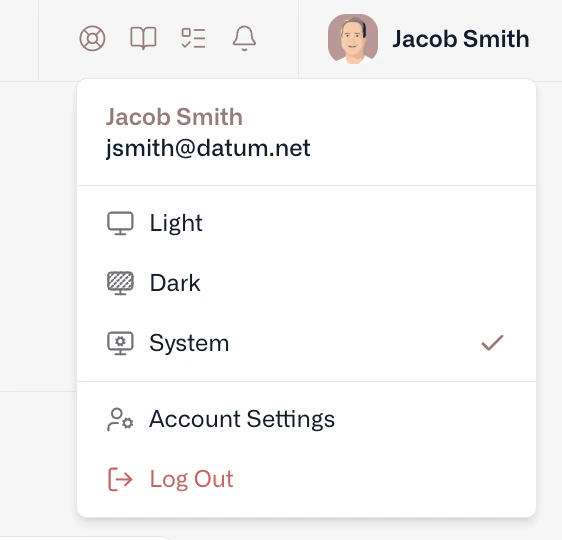
Once you’ve created a user account, you can personalize your experience and access details by selecting your avatar or initials at the top right of your screen.
 ## Orgs & projects
We use a standard cloud data model that associates Projects within Organizations. All organizations use our **standard** quota limits, including support for collaborators, projects, and shared resources.
Personal organizations have been deprecated as of July 14, 2026. All existing organizations have been automatically upgraded to standard quota limits — no action required.
## Payment method
A payment method is required for every active organization to improve the security and stability of our platform.
Datum is currently free during public beta, and your account won’t accrue any charges without prior notice.
### Confirming your contact details
As part of adding your payment method, we’ll ask you to confirm:
* Your **legal name**.
* Any **company name** you want associated with an organization.
## Team management
To collaborate with team members, you’ll need to create or join an Organization. Organizations support the following coarse-grained roles:
* **Owners** - Full control over the organization and all resources.
* **Editors** - Control over all resources in an organization, except for team members.
* **Viewers** - Read-only access to all resources in an organization.
## Quotas
Datum is in active development and currently only offers a free tier with reasonable limits on resources. Resource limits (e.g. quotas) can be found under the setting areas for Organizations and Projects.
## Support
If you run into issues (including quotas that constrain your work, but also other things), simply drop a note to [support@datum.net](mailto:support@datum.net) or the live chat widget accessible at the top of the portal. [Discord](https://link.datum.net/discord) is also an option!
## Orgs & projects
We use a standard cloud data model that associates Projects within Organizations. All organizations use our **standard** quota limits, including support for collaborators, projects, and shared resources.
Personal organizations have been deprecated as of July 14, 2026. All existing organizations have been automatically upgraded to standard quota limits — no action required.
## Payment method
A payment method is required for every active organization to improve the security and stability of our platform.
Datum is currently free during public beta, and your account won’t accrue any charges without prior notice.
### Confirming your contact details
As part of adding your payment method, we’ll ask you to confirm:
* Your **legal name**.
* Any **company name** you want associated with an organization.
## Team management
To collaborate with team members, you’ll need to create or join an Organization. Organizations support the following coarse-grained roles:
* **Owners** - Full control over the organization and all resources.
* **Editors** - Control over all resources in an organization, except for team members.
* **Viewers** - Read-only access to all resources in an organization.
## Quotas
Datum is in active development and currently only offers a free tier with reasonable limits on resources. Resource limits (e.g. quotas) can be found under the setting areas for Organizations and Projects.
## Support
If you run into issues (including quotas that constrain your work, but also other things), simply drop a note to [support@datum.net](mailto:support@datum.net) or the live chat widget accessible at the top of the portal. [Discord](https://link.datum.net/discord) is also an option!