

When to use service accounts
Create a service account
The Cloud Portal offers two starting points. CI/CD Pipeline generates a credentials file to store as a secret in GitHub Actions, GitLab CI, or another pipeline, with setup instructions. Service gives a backend service or workload a stable identity to call Datum APIs, with credentials you mount as a Kubernetes Secret or environment variables.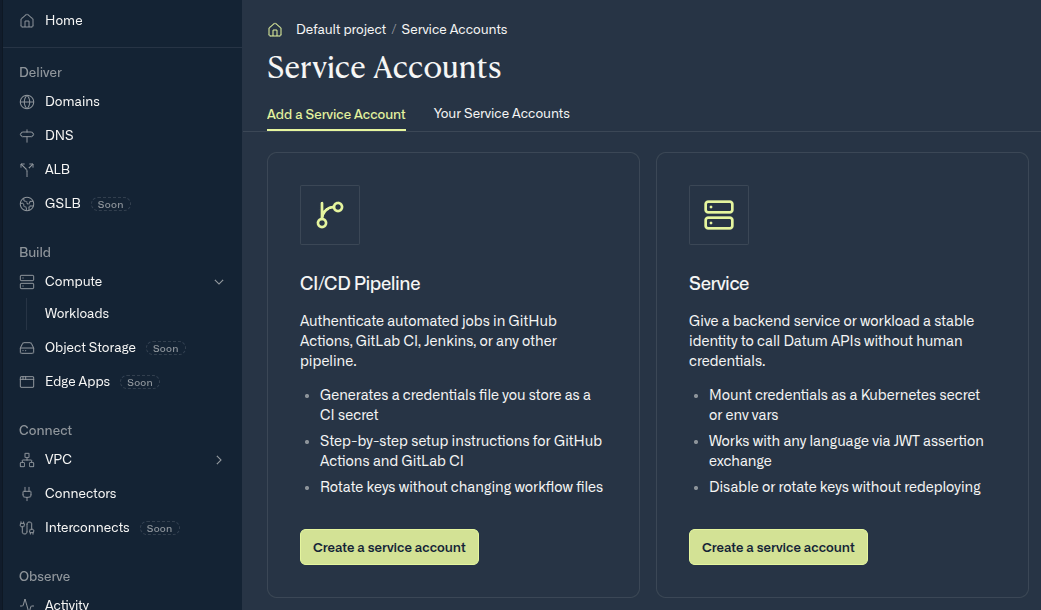
Choose the kind of service account to create
- Open your project in the Datum Cloud portal.
- Navigate to Service Accounts in the left sidebar.
- Select Create service account.
- Enter a lowercase name (e.g.
ci-deploy) and an optional display name.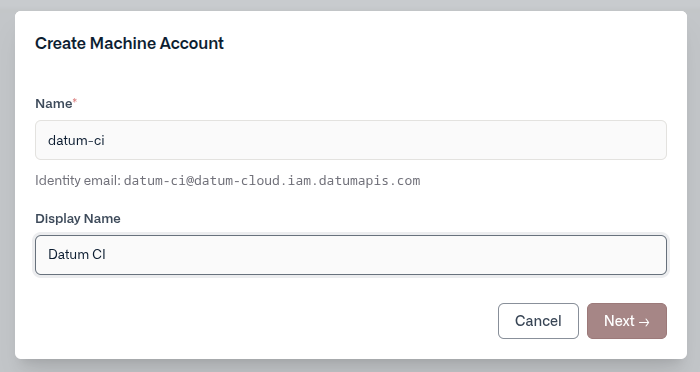
- Select a key type:
- Datum-managed — Datum generates an RSA key pair. The private key is shown once at creation time. Download it as a JSON credentials file before closing the wizard.
- User-managed — You provide your own RSA public key in PEM format. Datum stores only the public key and never sees your private key.
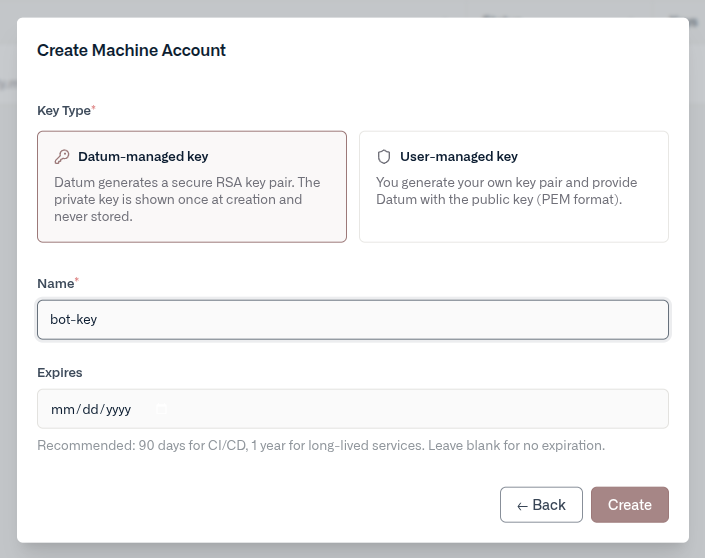
- Select Create. Once the account’s identity email is provisioned, your credentials are ready.
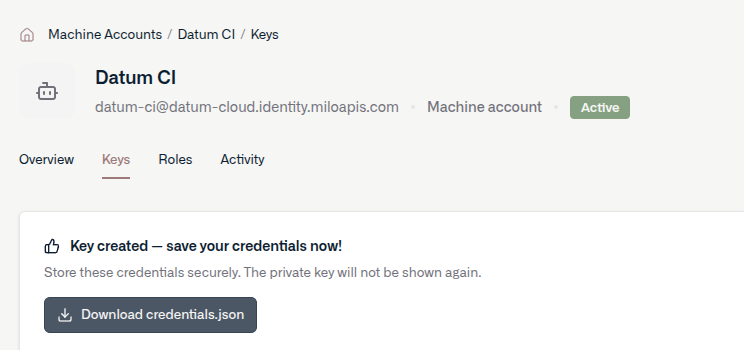
For datum-managed keys, the private key is only displayed once. Download the credentials file before closing the wizard — it cannot be recovered later.
Manage keys
Open a service account and navigate to the Keys tab to add or revoke keys.- Add a key — create an additional datum-managed or user-managed key at any time.
- Revoke a key — immediately invalidates the key. Any tokens issued with it will stop working at expiry.
Assign roles
Service accounts are IAM principals like any other member. Assign roles from the Roles tab on the account’s detail page, or from Settings → Members in your project or organization.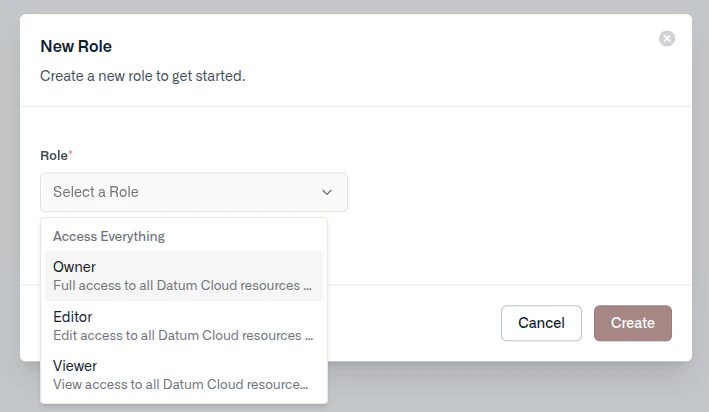
Disable or delete an account
- Disable — suspends authentication without removing the account or its keys. Re-enable at any time from the Overview tab.
- Delete — permanently removes the account and revokes all associated keys. This cannot be undone.
Using credentials
After creating a service account, you’ll have a credentials file to use for authentication.Credentials file format
When you create a datum-managed key, Datum returns a JSON credentials file. For its fields, see The credentials file. Treat this file like a password — store it in a secrets manager and never commit it to source control.datumctl
Log in with the credentials file, then run commands as the service account:--organization or --project on each command, or set a context. For custom environments and more, see Service accounts in datumctl. For a pipeline, see Automating datumctl in CI/CD.
GitHub Actions
Store the contents of the credentials file as a repository or organization secret, such asDATUM_SA_CREDENTIALS, and pass it to the datumctl setup action. The action logs in as the service account, so later steps run datumctl without a login command. For the full workflow, see GitHub Actions.
Kubernetes
Create a Kubernetes secret from the credentials file:datumctl: